
To secure confidential files during an office move, you need six things locked in before any box gets taped: a complete inventory with sensitivity classifications, a purge-and-shred pass on anything past retention, locked tamper-evident containers with chain-of-custody logs, encrypted and tested digital backups, a vetted mover with signed NDAs and cargo insurance, and a post-move audit with test restores. Miss any one of them, and you have a gap that a privacy breach can walk right through.
Your pre-move security checklist (print or forward to your relocation coordinator):
- Inventory every physical and digital file by department and sensitivity level
- Purge documents past their retention period; schedule certified shredding
- Assign a single custody owner per box or bundle and seal with tamper-evident tape
- Apply sensitivity labels and encryption to all digital files before transfer
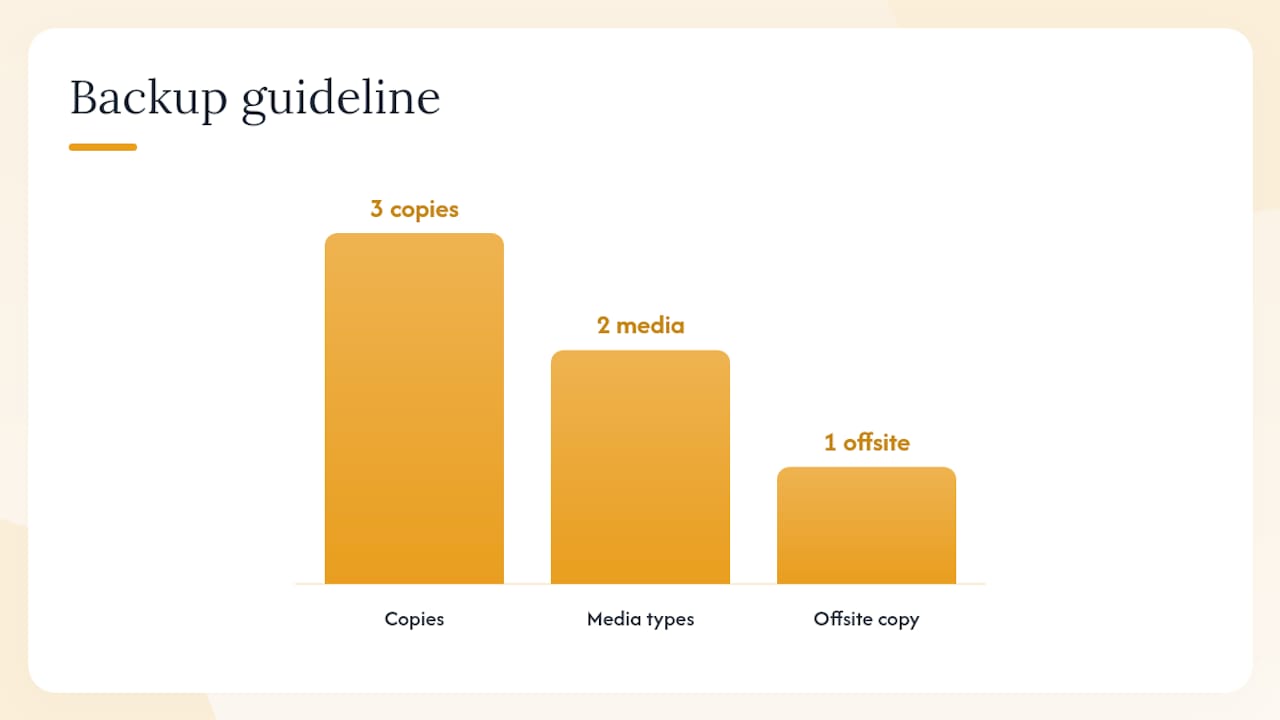
- Create a 3-2-1 backup (three copies on multiple media with offsite storage) and run a test restore
- Vet your mover: verify FMCSA registration, require background checks, and sign an NDA
- Reconcile your manifest and run test restores within 48 hours of arrival
The three priorities that matter most: your inventory and chain-of-custody log (without them, you cannot prove what moved or who touched it), encrypted digital files with a tested restore (an untested backup is not a backup), and a mover who has signed explicit custody and confidentiality clauses.
Key Takeaways
Securing confidential files during an office move requires a single integrated program: inventory and classify everything, purge what you no longer need, lock and label what moves, encrypt and test digital files, vet your mover with contracts and NDAs, and verify every item within 72 hours of arrival.
| Point | Details |
|---|---|
| Inventory before anything else | Classify every physical and digital file by sensitivity level before a single box is packed. |
| Purge reduces risk | Schedule certified shredding for records past retention; obtain a destruction certificate for each batch. |
| Chain-of-custody is non-negotiable | Log every box: who packed it, who handled it, who received it, with signatures at each transfer point. |
| Encrypt and test digital files | Apply sensitivity labels with persistent encryption; run test restores within 48 hours of arrival. |
| Movecraftmoving coordinates vetted, documented moves | Movecraftmoving matches you with carriers who sign NDAs, carry cargo insurance, and follow custody procedures. |
Table of Contents
- What counts as confidential — exact inventory categories for physical and digital files
- Why confidential files get exposed during moves — the main failure modes
- Step-by-step plan you can follow or hand to a moving coordinator
- How to vet movers and what to require in contracts, insurance, and NDAs
- Advanced digital safeguards: what enterprise teams actually do
- Post-move verification and incident response: what to test and how to respond
- Practical templates and tools to use
- What running a secure office move actually taught me
- Move Craft coordinates secure office relocations from start to finish
- Sources
What counts as confidential — exact inventory categories for physical and digital files
Not everything in your office needs the same level of protection, but the categories that do are broader than most managers expect.
Physical files to flag:
- HR records: personnel files, performance reviews, disciplinary records, I-9 forms
- Financial records: tax filings, bank statements, payroll registers, audit workpapers
- Client contracts and engagement letters, especially those with confidentiality clauses
- Legal files: litigation exhibits, attorney-client correspondence, regulatory filings
- Medical or health-related records (HIPAA-covered if you’re in healthcare or benefits administration)
- Vendor agreements with pricing or IP terms
Digital files and devices to flag:
- Active file shares and network drives with unrestricted access
- Unencrypted laptops, desktops, and workstations
- Removable media: USB drives, external hard drives, SD cards
- Email archives and PST files
- System credentials, API keys, and password vaults
- Legacy local backups that haven’t been migrated to cloud storage
A quick department sweep helps. HR carries personnel files and payroll. Finance holds tax records and bank documents. Legal holds privileged correspondence. Sales hold client contracts and pricing. IT holds credentials, server images, and device inventories. Run one person through each department with a two-column spreadsheet: item description and sensitivity level (High / Medium / Low).
For physical items, low-cost controls go a long way. Tamper-evident bags work for individual binders. Locked file boxes handle a drawer’s worth of folders. Sealed crates with numbered security seals are the right call for high-risk bundles like HR files or signed contracts. Industry guidance recommends treating physical and digital inventories as a single list with a shared sensitivity column, so you can assign one custody owner and one handling tier per sensitivity level.
Pro Tip: Label every box on the bottom, not the top. When boxes are stacked, the label on top gets buried. A label on the bottom stays visible when the box is lifted.
Why confidential files get exposed during moves — the main failure modes
The risks are predictable. That’s what makes them preventable.
Chain-of-custody gaps are the most common failure. A box leaves one office, sits in an unsecured staging area for two hours, and no one can say who had access during that window. That gap is enough to create a reportable incident under many state privacy laws, even if nothing was actually taken.
Mislabeling and misfiling send sensitive documents to the wrong destination. An HR folder mixed into general office supplies ends up in a shared storage room at the new location, accessible to anyone with a key.
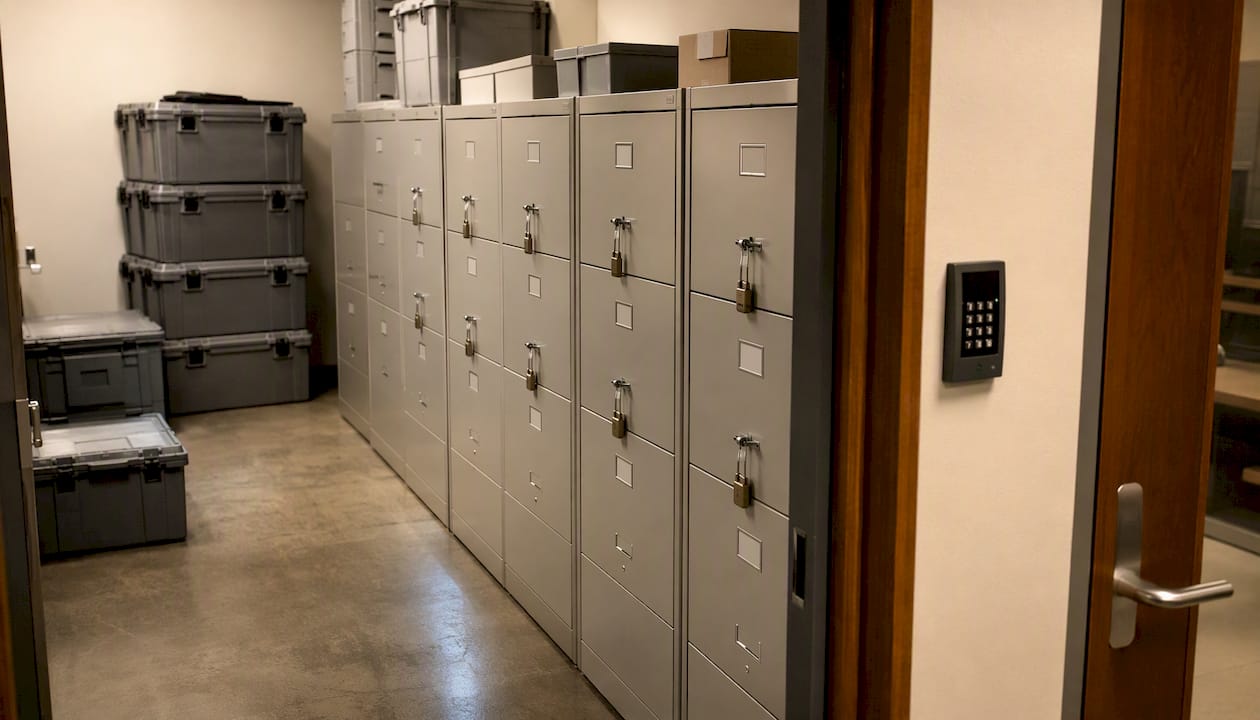
Temporary unsecured staging is underestimated. Movers often consolidate items in a loading dock or lobby before transport. Without a designated, locked holding area, high-sensitivity files sit in a semi-public space.
Insecure transport covers two scenarios: physical (an unlocked truck with no inventory manifest) and digital (an unencrypted backup drive in a laptop bag that gets left in a car). Both are avoidable with the controls in this guide.
Failure to test digital restores is the silent risk. Backups that have never been tested fail at the worst possible moment. A backup that cannot restore is not a backup.
Each of these risks maps directly to a control: the inventory catches mislabeling, the chain-of-custody log closes custody gaps, locked containers eliminate staging exposure, encryption protects digital files in transit, and a tested restore confirms your backup actually works.
Step-by-step plan you can follow or hand to a moving coordinator
Pre-move: several weeks out
- Conduct a full inventory. List every physical and digital file by department, owner, and sensitivity level. Use the manifest template below.
- Run a records purge. Pull anything past its retention period and schedule certified secure shredding with a destruction certificate. Fewer files moving means less risk.
- Identify active records. Separate what needs to travel with the move from what can go to offsite managed storage.
- Coordinate with IT. Schedule endpoint imaging, cloud migration, and backup creation. Assign an IT lead as the digital custody owner.
- Start vendor vetting. Verify FMCSA registration for interstate moves, check references, and draft your NDA and contract requirements.
Pre-move: 7–14 days out
- Apply sensitivity labels. Use Microsoft Purview sensitivity labels to classify files. Labels can be applied manually or automatically and persist with the file across locations, adding encryption, watermarks, or access restrictions per your admin configuration.
- Create your 3-2-1 backup. Three copies, on two different media types, with one copy stored offsite. Keep at least one copy under your direct control during transport to ensure recoverability.
- Image critical endpoints. Create full disk images of servers and key workstations before they are powered down.
- Tag and seal physical boxes. Apply tamper-evident seals with sequential numbers. Log each seal number in your manifest.
- Finalize mover contracts. Confirm NDA signatures, insurance certificates, and custody clause language before move day.
Move day
- Open the chain-of-custody log. Every box gets a log entry: who packed it, when, seal number, and who received it at the destination.
- Escort high-risk items. Assign a staff member to physically accompany the highest-sensitivity loads. For escorted transport of critical assets, the handler should never leave the load unattended.
- Lock the IT staging area. Devices move through a designated, access-controlled area only. No device leaves without a signed handoff form.
- Require supervisor sign-off at every checkpoint. Loading, transit, and unloading each get a signature.
Post-move: 24–72 hours
- Reconcile the manifest. Every item that left must be accounted for at the destination. Discrepancies get flagged immediately.
- Run test restores. Pull a sample of files from each backup set and confirm they open correctly.
- Validate label access. Confirm that sensitivity-label permissions are intact in your cloud repositories and that no access was inadvertently widened during migration.
- Produce a post-move incident log. Document any anomalies, even minor ones, with timestamps and responsible parties.
Pro Tip: Assign a single owner per box — one person who packed it, sealed it, and signs it over. The moment two people are responsible for the same box, accountability dissolves.
Manifest template
Pro Tip: Color-code box labels by sensitivity level. Red for High, yellow for Medium, green for Low. Move-day crews can sort and route boxes without reading every label.
How to vet movers and what to require in contracts, insurance, and NDAs
Hiring the wrong mover is the single fastest way to undo every other control you put in place. Here is what to check before you sign anything.
Vendor vetting checklist
- FMCSA registration: For interstate moves, verify the mover’s USDOT number at FMCSA’s Protect Your Move portal. An unregistered carrier has no federal accountability.
- Commercial references: Ask specifically for references from office or commercial moves, not residential. The handling requirements are different.
- Employee background checks: Confirm the mover runs criminal background checks on all employees who will handle your load.
- Climate-controlled vehicles: Required for media, certain legal documents, and anything with adhesive labels or heat-sensitive materials.
- Chain-of-custody experience: Ask directly whether they have moved regulated records or escorted high-sensitivity loads before.
- Subcontractor disclosure: Some movers broker loads to third parties. You need to know who is actually touching your files.
Contract clauses to require
- Explicit chain-of-custody language: who is responsible for each item from pickup to delivery
- Tamper-evident handling procedures written into the scope of work
- Minimum cargo insurance coverage (get the certificate before move day, not after)
- General liability coverage with your company named as an additional insured
- A signed NDA or confidentiality clause covering all employees and subcontractors
- Documented incident reporting timeline (24 hours is a reasonable standard)
- Right to audit: your right to inspect vehicles and staging areas
For a deeper look at licensed mover contract best practices, including sample clause language, Movecraftmoving publishes a dedicated guide that covers custody, insurance, and NDA requirements in detail.
Red flags
- Vague or verbal-only inventory procedures
- Refusal to sign custody clauses or an NDA
- References they cannot or will not provide
- A bid significantly below others without a clear explanation of scope differences
10 questions to ask during the bid call
- Are you registered with the FMCSA, and can you provide your USDOT number?
- Do you run background checks on all employees handling our load?
- Have you moved regulated records or escorted high-sensitivity commercial loads before?
- Who specifically will handle our boxes, and will any of the work be subcontracted?
- What tamper-evident or security procedures do you use during transport?
- Can you provide a cargo insurance certificate before move day?
- Will you sign a confidentiality agreement covering your employees and any subcontractors?
- What is your incident reporting procedure if something goes missing or a seal is broken?
- Do you use climate-controlled vehicles for document transport?
- Can you provide two references from commercial or office moves of similar size?
You can cross-reference this list with the commercial move vendor coordination checklist for a broader set of contract and coordination questions.
Advanced digital safeguards: what enterprise teams actually do
Most of the risk in digital file transfers comes from two gaps: files that leave your environment without encryption, and access permissions that linger after the move is complete. Enterprise teams close both.
Sensitivity labels and persistent encryption
Microsoft Purview sensitivity labels apply encryption and permissions that travel with the file, whether it sits on a local drive, a USB, or a cloud share. An admin can configure a label to block forwarding, copying, or printing, and can set expiry dates so access automatically revokes after the move window closes. That last feature matters more than most teams realize: temporary, time-limited permissions during a migration mean that even if credentials are compromised after the move, the files are already locked.
Labels can be applied manually by users or automatically by policy, and they persist across locations. The practical limit to know: co-authoring and AutoSave have constraints with encrypted files, so plan for a brief window where collaborative editing is restricted during the migration.
DLP and Defender for Cloud Apps
Purview Information Protection integrated with Defender for Cloud Apps can discover sensitive items in SaaS applications, extend labels to those apps, and apply session-level policies that block exfiltration during transfers. In practice, this means a DLP policy can prevent a user from downloading an unlabeled sensitive file to a personal device during the move window, even if they have legitimate access to the file.
How an IT lead and move coordinator run a protected migration
- IT labels all files in scope using Purview, applying encryption to High and Medium sensitivity items.
- Files are exported to an encrypted container (BitLocker-protected drive or encrypted cloud export).
- The container travels under chain-of-custody with a staff escort. For high-sensitivity corporate transport, the handler maintains physical control of the device at all times.
- At the destination, IT re-ingests files to the new tenant or file share, validates label integrity, and confirms permissions match the pre-move configuration.
- Temporary access granted during migration is revoked within 24 hours of confirmed delivery.
Pro Tip: Grant move-window access using time-limited permissions or expiring access links, not permanent role assignments. It takes two minutes to set an expiry date and saves a lengthy access-review cycle later.
For device-level custody during the move, the IT equipment moving specialists guide covers hardware handoff procedures and endpoint integrity checks in detail.
Post-move verification and incident response: what to test and how to respond
The move is not over when the last box arrives. The security loop closes only after you have verified what you have and confirmed it is intact.
Post-move audit checklist (complete within 24–72 hours)
- Reconcile the manifest within 24 hours. Every item ID on the outbound manifest must match a received item at the destination. Flag any discrepancy immediately, before the mover leaves the site.
- Verify tamper seals within 24 hours. Check every seal number against the manifest. A broken or missing seal is an incident, not an oversight.
- Confirm signatures. Every chain-of-custody log entry must have a receiving signature. Unsigned entries are gaps.
- Spot-check high-risk files within 24 hours. Open and verify a sample of High-sensitivity boxes. Confirm contents match the item description.
- Run test restores within 48 hours. Pull files from each backup set and confirm they open, are readable, and match the pre-move version.
- Validate sensitivity-label access within 48 hours. Confirm that label-based permissions are intact in cloud repositories. Check that no files were inadvertently shared or had their labels stripped during migration.
- Confirm endpoint integrity within 48 hours. Verify device serial numbers against your inventory. Run integrity checks on critical workstations.
- Change credentials within 24 hours if any device was transported unlocked or if a custody gap occurred.
If something goes wrong: incident response steps
- Isolate the affected items immediately. Do not move or open them further until you have documented the state.
- Notify legal, HR, and IT within the hour. Depending on the nature of the exposure, state breach notification laws may impose short reporting windows.
- Preserve chain-of-custody evidence. Keep the original manifest, seal numbers, and log entries intact. Do not alter records.
- Engage the mover’s incident procedures. Your contract should specify a 24-hour reporting obligation. Hold them to it.
- Log every remediation action with a timestamp. This log is your compliance evidence if a regulator or client asks what happened and when.
The IT equipment moving specialists guide covers device-specific integrity checks and what to do when a device arrives with a broken seal or signs of tampering.
Practical templates and tools to use
Templates at a glance
| Template | What it captures | Who owns it |
|---|---|---|
| Manifest | Item ID, description, owner, sensitivity, seal number, handler, time out/in, signature | Records or Facilities lead |
| Chain-of-custody log | Box ID, packer name, seal number, time sealed, handler name, time received, recipient signature | Move-day supervisor |
| Vendor vetting checklist | FMCSA number, insurance certificates, references, background check confirmation, NDA status | Office manager or procurement |
| Backup and restore checklist | Backup set name, media type, offsite copy confirmed, test restore date, file verified by | IT lead |
| Sensitivity-label checklist | File share or app name, label applied, encryption confirmed, expiry date set, access reviewed post-move | IT lead |
Tools to use
- Microsoft Purview sensitivity labels: The right tool for any organization on Microsoft 365. Labels apply encryption and permissions that persist with files in transit and at rest. Admin configuration controls which labels are available and whether application is manual or automatic.
- OneDrive Personal Vault: For small sets of highly sensitive files, OneDrive Personal Vault provides an identity-verified, extra-protected area. It is a practical short-term repository for a limited number of documents during the move window.
- 3-2-1 backup checklist: Three copies, two media types, one offsite. Keep one copy under your direct control during transport. Test restores before and after the move.
- Tamper-evident seals: Numbered, sequential seals for every box. Log each number in the manifest. A broken seal is a documented event, not an assumption.
- Certified shredding service: Schedule a destruction run before the move and obtain a certificate of destruction for every batch. This is your audit evidence that purged records were handled correctly.
What running a secure office move actually taught me
Chain-of-custody logs feel like paperwork until the moment they catch something. During one mid-size office relocation, a move-day supervisor noticed that box SL-047 had arrived with its seal intact but the manifest showed it had been signed out by a handler who had left the site two hours earlier. The log made that gap visible in under a minute. Without it, the box would have been unpacked and the discrepancy would never have surfaced.
The one non-negotiable rule that came out of that experience: never release a sealed crate without the recipient’s signature and a confirmed identity check. Not because movers are untrustworthy, but because the signature is the moment the custody chain transfers. Without it, you have no documented handoff, and no documented handoff means no defensible compliance record.
What made the difference in that case was the coordination between IT and facilities. IT had flagged SL-047 as containing encrypted backup drives, so it was on the high-priority watch list. Facilities had the manifest. When the two teams compared notes at the destination, the gap was visible immediately. Siloed teams would have missed it entirely.
Move Craft coordinates secure office relocations from start to finish
Protecting confidential files during a move requires more than good intentions. It requires vetted carriers, documented custody procedures, and someone who has done this before. Movecraftmoving connects you with rigorously vetted moving professionals who understand chain-of-custody requirements, sign confidentiality agreements, and carry the cargo insurance your load demands.

When you work with Movecraftmoving, bring three things to the initial consultation: your inventory with sensitivity classifications, your timeline, and your contract requirements (NDA, insurance minimums, custody clause language). From there, Movecraftmoving handles carrier matching, contract review coordination, and logistics sequencing so your confidential files move under documented control from the first box sealed to the last item reconciled.
For organizations moving IT assets alongside physical records, the data center relocation service covers hardware custody, device handoff procedures, and endpoint integrity checks. To start planning your secure office relocation, visit Movecraftmoving’s business relocation guide or request a consultation directly at Movecraftmoving.
Sources
- Protect your move
- encryption-sensitivity-labels
- A Practical Guide to Data Security During Your Office Move – Augusta Data Storage
Recommended
- How to Coordinate Employees During an Office Move – Move Craft Moving Solutions LLC
- Minimize Productivity Loss During Relocation: A Practical Plan – Move Craft Moving Solutions LLC
- IT Equipment Moving Specialists: What IT Leaders Must Know – Move Craft Moving Solutions LLC
- How to Label Boxes for a Residential Move – Move Craft Moving Solutions LLC