
Appoint one move captain, publish a single-source move portal, and give every department a named rep. Those three actions, done before anything else, cut the majority of confusion that derails office relocations.
Here is the immediate checklist to share with your leadership team today:
- Appoint a move captain with decision authority
- Assign one departmental rep per team
- Create and share the move portal URL (even if it is a draft)
- Send a company-wide announcement with the move date and portal link
- Schedule a kick-off briefing for all reps within the first week
- Contact Movecraftmoving for vendor vetting and coordination support
Pro Tip: Before you send any company-wide announcement, confirm the move date is locked. Announcing a date that later shifts erodes trust faster than saying nothing.
Table of Contents
- How do you plan an office move that keeps employees informed?
- Who owns what? Building your relocation team
- What should your communications plan include?
- What goes on the employee packing checklist?
- How do you coordinate IT migration without losing a day of productivity?
- What does a move-day playbook look like?
- How do you handle problems after the move?
- What are the biggest risks in an office relocation?
- What practices actually reduce move-day failures?
- What should employees know about getting to the new office?
- Key Takeaways
- Why tight coordination is the only thing that actually matters
- Movecraftmoving handles the coordination your team should not have to
- Useful sources and templates
How do you plan an office move that keeps employees informed?
Strong office relocation planning starts with three fixed anchors: your objectives, your timeline, and your budget. Everything else flows from those.
Objectives tied to employee experience should be explicit. “Minimize downtime” is not enough. Write it as: employees have confirmed desk assignments before day one, sensitive files are transferred under chain of custody, and no team loses system access for more than four hours. Specific targets give your reps something to defend in vendor negotiations.
Timeline milestones for a medium-size office follow a multi-month planning window, with distinct workstreams at each phase:
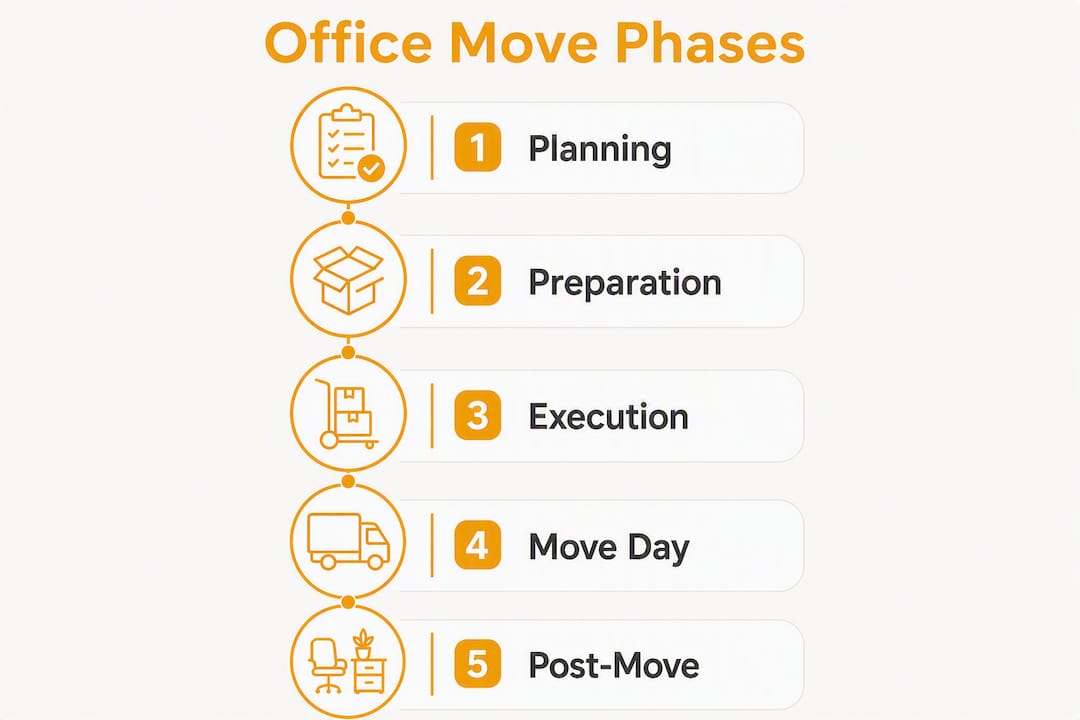
| Phase | Timeframe | Employee-facing actions |
|---|---|---|
| Planning | 6–12 months out | Define objectives, appoint move captain, notify leadership |
| Lease and services | 3–6 months out | Sign lease, order internet and network services immediately |
| Inventory and layout | 1–3 months out | IT asset audit, floor plan published, desk assignments drafted |
| Final prep | Final 2 weeks | Dry runs, employee briefings, packing kits distributed |
| Go-live | Day 1 | Vendor arrivals, IT sign-off, employee check-in |
Order network and ISP services the day the lease is signed. Lead times for commercial internet can run 60–90 days, and a delayed connection on day one affects every employee simultaneously.
Budget items that directly affect employees include:
- Restoration clause costs (often larger than the move itself — build them into pre-signing estimates)
- A contingency reserve for unplanned vendor overruns
- SLA holdbacks written into vendor contracts to protect employee-facing services
- IT migration costs, including specialist labor for sensitive equipment
Primary coordination tools worth standardizing on: a project tracker (Asana, Monday.com, or a shared spreadsheet with owner and due-date columns), a single knowledge portal (Notion, Confluence, or a pinned SharePoint page), and a desk-booking tool tied to your new floor plan. Keeping requests off email and inside one platform prevents tasks from disappearing between inboxes.
Pro Tip: Add a “commercial moving timeline” to your portal from day one. Movecraftmoving’s commercial moving timeline guide gives milestone templates you can adapt without building from scratch.
Who owns what? Building your relocation team
Project coordinators keep timelines updated and prevent cross-team handoff failures — which is exactly why the move captain role needs formal authority, not just a title.
The move captain approves vendor selections, resolves scheduling conflicts, and is the single escalation point for anything that cannot be resolved at the departmental level. Without that decision boundary, every small problem becomes a committee discussion.

The full team structure:
| Role | Primary responsibilities | Escalates to |
|---|---|---|
| Move captain | Timeline, vendor approvals, final decisions | Executive sponsor |
| Departmental rep (per team) | Asset lists, packing compliance, team comms | Move captain |
| IT lead | Network, devices, data security, dry run | Move captain |
| HR lead | Employee communications, policy updates, attendance | Move captain |
| Facilities/vendor liaison | Building access, elevator reservations, vendor scheduling | Move captain |
| Site safety contact | Heavy-lift safety, visitor protocols, emergency contacts | Move captain |
Each rep owns three things: their team’s asset inventory, their team’s packing compliance, and their team’s questions. That last one matters. When employees know who to ask, the move captain stops fielding 40 individual Slack messages.
Pro Tip: Assign a backup for every critical role before the move portal goes live. If your IT lead is out on move day, someone else needs the vendor contacts and the test plan — not just the title.
What should your communications plan include?
Segmenting announcements by team or role raises relevance and response rates. A generic company-wide email telling everyone to “pack their desks by Friday” lands differently than a targeted message to the finance team explaining exactly which filing cabinets they own and what happens to the ones they do not.
Segments to use: leadership, IT, facilities, frontline teams, and remote or hybrid employees. Each group has different concerns and different actions to take.
Suggested announcement cadence:
| Timing | Audience | Message focus |
|---|---|---|
| Initial notice (6+ months out) | All employees | Move date, reason, move captain contact |
| Monthly updates | All employees | Progress, next milestones, portal link |
| 60 days out | All employees | Desk assignments, packing timeline |
| 30 days out | Department reps | Checklist review, vendor schedule |
| 14 days out | All employees | Packing instructions, label guide |
| 7 days out | IT, facilities | Dry run results, access card status |
| 2 days out | All employees | Final instructions, day-one schedule |
| Move day | All employees | Arrival windows, contact numbers |
Template outlines to build:
- Company-wide announcement: date, new address, reason for move, move captain name and contact, portal link
- Team-specific notice: what changes for this team, their rep’s name, their packing deadline
- Manager briefing: what managers must communicate, what decisions they can make, escalation path
- Move-day FAQ: parking, building access, IT contact, what to do if something is missing
Consolidating all of this into a dedicated move portal reduces the volume of repeat questions. The portal should include: the live timeline, packing rules, the FAQ, vendor contacts, and desk assignment maps. Update it after every major milestone.
Channel mix: primary email for formal announcements, a dedicated Slack or Teams channel for real-time questions, the portal as the single source of truth, and physical signage at both locations during the final two weeks.
Pro Tip: Pin the portal link in every channel you use. Employees who miss an email will find it through Slack; employees who miss Slack will find it through the pinned SharePoint page. Redundancy in access points, not in messages, is the goal.
What goes on the employee packing checklist?
A clear, ready-to-distribute checklist removes ambiguity and protects sensitive materials. Build it in two parts: what employees do, and what movers handle.
Packing timeline for employees:
- 30 days out: Audit your desk. Flag any items that need special handling (medications, personal valuables, confidential files).
- 14 days out: Collect packing supplies from facilities. Label all personal items with your name, department, and new desk number.
- 7 days out: Pack non-essential items. Shred or secure-bin any documents you no longer need.
- 1 day out: Pack everything except your laptop, charger, and one day’s essentials. Place labeled boxes in the designated staging area.
Labeling system:
| Label element | What to include |
|---|---|
| Department color code | One color per department (e.g., blue = finance, green = marketing) |
| Employee name | First and last name |
| New desk/room number | Confirmed from the floor plan |
| Fragile indicator | Red “FRAGILE” sticker on any electronics or breakables |
| Confidential indicator | Yellow “CONFIDENTIAL” sticker; these boxes go in secure transport only |
What movers handle: furniture, large equipment, server racks (with IT supervision), and items tagged by facilities. Employees do not move their own monitors or printers.
Confidential materials: shred what you do not need. Anything that must travel uses a sealed, labeled box with a chain-of-custody form attached. HR distributes the forms; the departmental rep collects them.
Hybrid and remote employees who rarely come in still need to clear any stored items. Send them a specific email with a deadline and a drop-off window, not just the general checklist.
How do you coordinate IT migration without losing a day of productivity?
IT is the highest-risk workstream in any office move. A missed network order or an unlabeled device can cost an entire team a full day of access.
Ordered steps for IT migration:
- Order internet and network services the day the lease is signed. Commercial lead times frequently run multiple weeks.
- Complete a full IT asset inventory at the 1–3 month mark. Every device gets a tag: employee name, asset number, new desk location.
- Back up all critical data before any equipment is moved. Confirm backups are verified, not just initiated.
- Decommission legacy hardware according to your data-destruction policy. Document the chain of custody for any drives that leave the building.
- Run a pre-move dry run in the final two weeks. Bring a small user group to the new space and test connectivity, VPN access, printers, and phones.
- On move day, IT vendors arrive first. No employee equipment moves until the network is confirmed live.
- Post-move: each employee signs off on their own device setup before the IT team closes the ticket.
| IT task | Owner | Deadline |
|---|---|---|
| Order ISP/network services | IT lead | Day lease is signed |
| Complete asset inventory | IT lead + departmental reps | 3 months out |
| Data backup verification | IT lead | 2 weeks out |
| Pre-move dry run | IT lead + user group | 1–2 weeks out |
| On-site vendor coordination | IT lead + vendor liaison | Move day |
| Post-move device sign-off | IT lead | Day 1–2 |
For moves involving servers or specialized hardware, IT equipment moving specialists handle the physical transport under chain-of-custody protocols that general movers are not equipped to follow.
Pro Tip: Do not schedule the IT dry run on a Friday. If something breaks, you need a business day to fix it before move day. Tuesday or Wednesday gives you a buffer.
What does a move-day playbook look like?
Move day works when everyone has a window, a location, and a contact. Without those three things, the loading dock becomes a bottleneck and employees arrive to find their desks empty.
Typical move-day schedule:
- 6:00 AM: Vendor and mover arrival at old location. Facilities rep confirms elevator reservation and loading dock access.
- 7:00 AM: IT vendor arrives at new location. Network and connectivity confirmed before any equipment arrives.
- 8:00 AM: First wave of equipment transport begins. Sensitive items travel in secure vehicles with chain-of-custody forms.
- 10:00 AM: First wave of employee arrivals at new location. Departmental reps at each floor to direct traffic.
- 12:00 PM: Mid-day check-in between move captain and all reps. Flag any missing items or access issues.
- 2:00 PM: Second wave of employee arrivals. IT sign-off on connectivity for each team.
- 4:00 PM: Final walkthrough of old location. Move captain signs off on building handover checklist.
- 5:00 PM: Issue log submitted. Outstanding items assigned to owners with 24-hour resolution targets.
Staging areas: designate a holding zone for boxes awaiting placement, a secure room for confidential items, and a clear employee drop-off point at the new location. Mark all three on the floor plan distributed to reps.
Access protocols: confirm badge access for all employees at least 48 hours before move day. Reserve elevators in both buildings. Establish a visitor procedure for vendors who need temporary access.

| Contingency | Immediate action |
|---|---|
| Late employee | Rep covers their team’s staging area; items held in secure zone |
| Blocked loading dock | Vendor liaison contacts building management; alternate entry used |
| Missing equipment | Logged immediately; IT or facilities assigned within 1 hour |
| Network not live | IT vendor escalation contact called; employees directed to mobile hotspots |
A published move-day plan that includes IT vendor timing, desk allocation, and contact numbers cuts the most common first-week questions before they are asked.
How do you handle problems after the move?
The first 30 days after a move generate more employee friction than move day itself. Desk assignments get swapped, printers are not connected, and access cards work for some floors but not others. A structured issue-tracking process keeps those problems from piling up.
Issue-reporting workflow:
- Employees report problems through a single channel (a dedicated email address or a form in the move portal)
- Each issue is logged with: description, reporter, date, assigned owner, priority (P1/P2/P3), and status
- P1 issues (no system access, safety hazard) get a 4-hour resolution target
- P2 issues (missing equipment, access card) get within one business day
- P3 issues (furniture placement, signage) get several business days
| Issue category | Owner | Resolution target |
|---|---|---|
| No network/system access | IT lead | 4 hours |
| Missing equipment | Facilities/IT | within one business day |
| Access card failure | HR/Facilities | within one business day |
| Vendor punch-list item | Vendor liaison | several business days |
| Employee feedback/comfort | HR lead | Ongoing |
Post-move survey: send it on day 3, not day 1. Employees need one full day to form an opinion. Ask: Did you have everything you needed on day one? Was your desk assignment correct? Did you know who to contact for problems? One open-text field for anything else.
First-week manager briefing: managers meet with the move captain on day 3 to surface recurring issues. Patterns (three people on the same floor missing badge access) get escalated faster than individual tickets.
What are the biggest risks in an office relocation?
| Risk | Employee impact | Mitigation |
|---|---|---|
| Internet outage on day one | Full team productivity loss | Order services 8–12 weeks early; confirm with ISP 48 hours before |
| Missing or mislabeled equipment | Individual downtime, frustration | Asset inventory + labeling system completed 3 months out |
| Access card delays | Employees locked out | Provision cards 48 hours before move; test all floors |
| Vendor no-show | Delayed setup, cascading schedule | Written SLAs with arrival windows; backup vendor contact on file |
| Data loss or breach | Regulatory and operational risk | Chain-of-custody forms, verified backups, secure transport for sensitive items |
| Key-card provisioning failure | Security gaps, employee frustration | HR runs a provisioning checklist 1 week before; IT confirms day before |
Beyond the table, two risks get underestimated. First, restoration clauses in commercial leases can cost more than the physical move. Budget for them before signing. Second, vendor SLAs without financial holdbacks are suggestions. Write penalty clauses into contracts for missed arrival windows and connectivity failures that affect employee access.
Movecraftmoving’s vendor coordination checklist maps owner, SLA, arrival window, and escalation contact for every vendor type involved in a commercial move.
What practices actually reduce move-day failures?
Centralizing documentation and communication gives employees a single place to find FAQs, timelines, and packing instructions — and that single source directly reduces the volume of repeat questions that overwhelm move captains in the final two weeks.
A single knowledge portal, updated after every milestone and shared through every communication channel, is the most effective tool for reducing employee confusion during an office relocation. When employees know where to look, they stop asking the same questions repeatedly — and your move captain can focus on solving real problems instead of answering email.
Segmented communications reinforce this. When the IT team receives a message about network dry-run timing and the finance team receives one about their specific filing cabinet protocol, both messages get read and acted on. Generic blasts get skimmed.
Movecraftmoving’s approach to minimizing productivity loss emphasizes three specific practices: a single move owner with real authority, pre-configured desk booking before employees arrive, and IT services ordered at lease signing. All three address the same root cause: decisions made too late cascade into employee-facing failures on day one.
Pro Tip: Run a full-day tech dry run with a real user group, not just IT staff. Bring five employees from different teams to the new space and have them work a full day. They will find problems your IT team will not.
What should employees know about getting to the new office?
Transportation and parking changes are among the most-asked questions after a move announcement, and they are often the last thing covered in the communications plan.
Address them in the initial announcement, not the final week. Employees who commute by car need to know whether parking is included, what it costs, and whether the company subsidizes it. In most major US cities, monthly parking in many cities has a significant cost per space, and that is a real financial impact for employees who were previously parking for free.
Cover these specifics in your communications:
- Parking availability at the new location (number of spaces, cost, how to reserve)
- Public transit options (nearest subway, bus, or commuter rail stops)
- Bike storage and shower facilities if available
- Rideshare drop-off zones and any company rideshare subsidies
- Whether the company offers a pre-tax commuter benefit (under IRS rules, employees can set aside up to $315 per month pre-tax for transit and parking as of 2025)
- Temporary parking arrangements during the move itself (vendor vehicles will occupy loading zones)
For employees relocating from a suburban office to a downtown location, or vice versa, the commute change can be significant enough to affect retention. HR should be prepared to discuss flexible start times or remote-day adjustments during the transition period.
Key Takeaways
Coordinating employees during an office move requires a named move captain, a single knowledge portal, and a segmented communications plan executed across a 6–12 month timeline.
| Point | Details |
|---|---|
| Appoint a move captain first | Give one person decision authority before any other planning begins. |
| Publish the portal before announcements | Employees need somewhere to go when they have questions — set it up first. |
| Order IT services at lease signing | Network lead times often run multiple weeks; late orders cause day-one outages. |
| Segment communications by team | Targeted messages get read and acted on; generic blasts get skimmed. |
| Movecraftmoving for vendor coordination | Movecraftmoving vets carriers and coordinates logistics so your move captain focuses on employees, not vendor management. |
Why tight coordination is the only thing that actually matters
Most office move guides focus on checklists. The checklists are necessary, but they are not what prevents a move from failing. What prevents failure is ownership — specific, named, accountable ownership at every level of the process.
The moves that go wrong almost always share the same pattern: a move captain who has the title but not the authority, a communications plan that was written but never segmented, and an IT migration that started two weeks too late because nobody confirmed the ISP lead time. None of those are checklist failures. They are ownership failures.
The other thing guides underestimate is the employee experience in the first 30 days after the move. Move day gets all the attention, but the friction that actually damages morale happens on day 4, when someone still cannot print, or day 8, when the badge still does not work on the third floor. A post-move issue log with real resolution targets is not optional — it is the difference between a move that employees remember as rough and one they forget about by the end of the month.
Tight coordination also protects the organization from costs that are easy to miss: restoration clause surprises, vendor SLA disputes, and data-handling gaps that create compliance exposure. The coordination infrastructure you build for the move is also your paper trail if something goes wrong.
Movecraftmoving handles the coordination your team should not have to

Office moves fail at the vendor layer more often than anywhere else — a no-show mover, a network that is not live, an IT vendor who arrives after the furniture. Movecraftmoving removes that risk by vetting every carrier and logistics partner before they touch your move.
For office and commercial relocations, Movecraftmoving coordinates vendor scheduling, SLA management, and IT equipment transport through a network of licensed, insured specialists. Your move captain focuses on employees; Movecraftmoving handles the vendor layer. Get your commercial move vendor coordination checklist or visit Movecraftmoving to request a consultation and build a coordination plan that fits your timeline.
Useful sources and templates
These resources support the planning, communication, and execution steps covered in this guide.
| Resource | How to use it |
|---|---|
| Movecraftmoving: Commercial move vendor coordination checklist | Map every vendor’s SLA, arrival window, and escalation contact before move day |
| Movecraftmoving: Employee communication during relocation | Build your segmented communications plan and portal structure |
| Movecraftmoving: Minimize productivity loss during relocation | Use the practical plan to set IT ordering deadlines and desk-booking timelines |
| Movecraftmoving: IT equipment moving specialists | Reference for handling sensitive hardware and chain-of-custody requirements |
| Elia: Office move checklist (free template) | Phased checklist with owner, due date, and status columns for 200–500 person moves |
| Elia: How to move an office — timeline and costs | Timeline milestones and cost benchmarks for medium-size relocations |
| Atlassian: Project coordination guide | Framework for assigning ownership and preventing cross-team handoff failures |
| C2Perform: Internal communication tips | Evidence base for centralizing documentation to reduce repeat inquiries |
Save the move portal link and your vendor contact list to a pinned location before the first major announcement goes out. On move day, those two items are the ones people reach for when something goes wrong.
Recommended
- Commercial Move Vendor Coordination Checklist for 2026 – Move Craft Moving Solutions LLC
- Minimize Productivity Loss During Relocation: A Practical Plan – Move Craft Moving Solutions LLC
- The Role of Employee Communication During Relocation – Move Craft Moving Solutions LLC
- Why Residential Moves Need Utility Coordination – Move Craft Moving Solutions LLC