
The best office relocation plan is phased and project-managed, run by a single relocation lead who oversees inventory-driven binding quotes, IT-first cutovers, and a 10 to 20 percent budget contingency. That structure, backed by a clear timeline and vendor checklist, is what separates a move that finishes on schedule from one that spills into overtime and lost workdays. Whether you handle it in-house or bring in managed support like Move Craft, the framework below applies the same way.
TL;DR:
- Starting the move six to six months out allows enough time to finalize lease terms, develop a detailed budget, and begin site selection without pressure.
- Obtaining at least three binding, itemized quotes ensures accurate comparison of costs for packing, IT handling, and after-hours labor, reducing unexpected expenses.
- Reconnecting infrastructure should follow a strict order: circuits, firewall, switches, Wi-Fi, servers, and finally end-user devices, validated step-by-step.
- Incorporating a contingency budget of 10 to 20 percent helps cover permit delays, extra labor, and unforeseen storage or equipment costs that commonly arise.
- Confirming all vendor, permit, and utility arrangements in writing within two weeks of the move prevents delays and avoids last-minute crises on move-day.
Table of Contents
- Building Your Office Relocation Timeline: What Happens When
- Who Should Run Your Business Relocation Plan?
- How Do You Inventory and Label Everything for the Move?
- Selecting a Commercial Mover: Quotes, Contracts, and Red Flags
- IT Relocation Checklist: Backups, Chain of Custody, and Cutover Order
- Move Day: Roles, Sequencing, and Handling Problems in Real Time
- Insurance, Storage, and Budgeting for the Unexpected
- The First 90 Days: Turning a Snag List Into a Better Office
- Making Your Office Move More Sustainable
- How to Communicate the Move to Your Employees
- Managing the Risks That Derail a Relocation
- Confirming Every Vendor, Permit, and Utility Before Move Week
- Move Craft’s Take on What Actually Saves Time
- Get Move-Ready With Move Craft’s Vetted Network
- Sources
- FAQ
Building Your Office Relocation Timeline: What Happens When
A move that starts six months out rarely feels rushed. A move that starts six weeks out almost always does. The timeline below reflects what Hughes Marino’s relocation guide and other 2026 planning resources treat as the standard cadence for moves of meaningful size, with lead times that account for circuit installs and permit backlogs.
- 6 to 12 months out. Review your current lease terms and any early-termination clauses. Start site selection and get a broker involved if you don’t have one. Set a preliminary budget with a contingency line built in from day one, not added later.
- 3 to 6 months out. Finalize the new space and get architectural or space-planning drawings. Solicit bids from at least three commercial movers using virtual or in-person surveys. Order long-lead IT infrastructure. Internet and dedicated circuit installs at a new address commonly take several weeks depending on the carrier and building, so this is the moment to place that order, not the month before move day.
- 1 to 2 months out. Finalize your floor plan and desk assignments. Confirm all vendor contracts in writing. Begin department-by-department packing. Run an IT dry run: test the new circuit, firewall, and switch configuration before anyone relies on it.
- Final 2 weeks. Confirm elevator reservations and loading dock access with building management. Lock in after-hours or weekend labor windows with your mover. Send the final employee communication with move-day logistics.
- Move day. Execute the phased sequence: infrastructure first, furniture and boxes second, workstation setup last.
- First 60 to 90 days. Run your post-move audit, work the snag list, and adjust the space based on how people actually use it.
The mistake most teams make isn’t skipping a step. It’s compressing the middle phases because the calendar looked comfortable in month one. Elevator reservations, building permits for signage or fit-out work, and utility transfers all run on their own bureaucratic clocks, and those clocks don’t accelerate because your move date is fixed. Building slack into the 3 to 6 month window is cheaper than paying rush fees in the final two weeks.
An office relocation checklist built around this timeline is worth keeping visible to the whole team, not just the relocation lead, since half of move-day confusion comes from people not knowing which phase they’re currently in.
Who Should Run Your Business Relocation Plan?
One person needs the authority to make final calls on vendors, budget lines, and schedule changes. Spread that authority across three department heads and you’ll spend more time resolving disagreements than moving boxes.
The relocation lead owns the master timeline, signs off on vendor contracts, and is the single point of contact for the movers on move day itself. Everyone else feeds information up to that person rather than making independent decisions that ripple into someone else’s phase.
Build a cross-functional team around that lead:
- IT confirms infrastructure timelines and owns the backup and cutover plan.
- Facilities manages the physical space, floor plans, and building coordination.
- HR handles employee communication and any policy questions tied to the new location.
- Finance tracks the budget against the contingency reserve and approves vendor payments.
Meet weekly starting at the 3 to 6 month mark, and shift to twice weekly in the final month. Each meeting should review open risks and confirm every vendor contract, permit, and utility transfer is still on track. A business relocation strategy built around clear decision rights tends to hit its date more often than one where every department negotiates directly with the movers.
Pro Tip: Give the relocation lead a standing weekly slot on the executive calendar, even if there’s nothing to report some weeks. The habit of a fixed check-in catches small problems before they become move-day emergencies.
How Do You Inventory and Label Everything for the Move?
Your inventory needs four fields for every asset: a serial or tag number, the department that owns it, its current condition, and its destination room in the new space. Skip any of these and you’ll spend the first week at the new office playing detective.
A spreadsheet works for small offices. Larger moves benefit from a dedicated inventory tool with photo attachments, since a photo settles condition disputes faster than a written note ever will.
Once the inventory exists, translate it directly onto your floor plan. Assign each desk, workstation, and shared space a code, then match every inventoried item to that code. This is also when department leads should sign off on their team’s assigned zone, since disputes over desk location are far easier to resolve on paper than on move day.
The labeling system is what makes staging and unloading fast instead of chaotic:
| Label element | What it captures | Example |
|---|---|---|
| Color code | Destination floor or department | Blue = 3rd floor, Sales |
| Room code | Specific room or zone | 3B = Room 3, Zone B |
| Item tag | Asset ID linked to inventory | IT-42 |
| Priority mark | Move sequence | P1 = unpack first |
Stage boxes and furniture by color code in the loading area before the truck arrives, and unload in reverse order so the last thing loaded is the first thing off. That single habit shaves hours off a multi-truck move.
Selecting a Commercial Mover: Quotes, Contracts, and Red Flags
Get multiple binding, itemized quotes before signing anything. A binding estimate locks the price regardless of final weight or hours, protecting you from the invoice surprises that come with non-binding quotes tied to actual time and materials.
- Request itemized line items covering packing labor, crating for specialty equipment, IT handling, elevator or dock fees, temporary storage, and after-hours or weekend labor rates.
- Standardize the request across all bidders. If one mover quotes a flat rate and another itemizes everything, you’re not actually comparing prices.
- Ask for virtual or in-person site surveys rather than phone estimates. Technology-enabled quoting with photo and video walkthroughs produces more accurate bids and speeds up the selection process.
- Verify licensing and insurance directly, not just from the mover’s own paperwork. Ask for two recent commercial references and actually call them.
- Read the contract for red flags: unusually large deposits, no binding weight or hour cap, vague damage liability language, or a certificate of insurance that’s expired or doesn’t name your company.
A licensed mover contract checklist helps you compare bids on equal footing instead of choosing on price alone, which is where most bad surprises originate. Movecraftmoving connects businesses with vetted, insured commercial carriers and helps structure these bids so nothing gets buried in vague line items.
IT Relocation Checklist: Backups, Chain of Custody, and Cutover Order
Treat your IT relocation like an infrastructure project first and a packing job second. Connectivity and cabling belong at the front of the timeline, not the week before the move, because a late ISP activation or incomplete cabling run is the single most common cause of a delayed reopening.
Back up every server and workstation before disconnecting anything, then verify the backup actually restores, not just that it completed. Document the make, model, and serial number of every piece of networking and server hardware, and assign a named person responsible for that equipment from the moment it’s unplugged until it’s reinstalled.
Cut over infrastructure in this order: circuits and internet service first, then firewall, then switches, then Wi-Fi access points, then servers, and only then end-user devices and workstations. Validating infrastructure before deploying end-user hardware prevents the common failure where desks are set up and staff arrive, but nobody can log in.
- Maintain a written chain-of-custody log for every server, switch, and piece of specialized equipment from pickup to reinstall.
- Schedule server racks for a dedicated technical window with shock-mounted crating, since documented chain-of-custody on sensitive gear limits liability and speeds up any claim if something goes wrong in transit.
- Run a full dry run of the new network at least a week before move day, not the morning of.
- Reserve after-hours or weekend labor for the IT cutover specifically, even if the rest of the move happens during business hours.
Pro Tip: Photograph every server rack’s cable layout before disconnecting anything. Reassembling from a photo is faster and more accurate than reassembling from memory, no matter how well you know your own network.
Move Day: Roles, Sequencing, and Handling Problems in Real Time
Set up a command center at both the old and new locations, each staffed by one decision-maker who can answer questions without pulling in the relocation lead for every small call.
- Assign a communications lead at each site whose only job is answering the phone and relaying updates. Nobody else should be fielding logistics calls.
- Unload in the reverse order boxes and furniture were loaded, following your color-coded staging map so items land in their assigned zone without a second round of sorting.
- Run IT infrastructure cutover before any furniture staging begins, so the network is live by the time workstations get set up.
- Have a triage checklist ready for the predictable problems: internet not yet live (fall back to mobile hotspots for critical staff), a missing labeled item (check the inventory log against the truck manifest), or an elevator or loading dock reservation conflict (have the building management contact number on hand, not just the property manager’s email).
- Close the day with a quick walkthrough comparing what arrived against the inventory sheet, flagging anything missing or damaged while memories are still fresh.
A productivity-focused move-day plan keeps the disruption contained to a single day or weekend instead of bleeding into a full week of half-functional operations.
Insurance, Storage, and Budgeting for the Unexpected
Most movers offer released or declared value coverage by default, which caps reimbursement at pennies per pound regardless of actual value. Full-value protection costs more but reimburses based on actual replacement cost, which matters far more for a room full of servers and monitors than it does for filing cabinets.
- Ask your mover directly whether their standard liability is declared value or full value, and get the difference in writing.
- Check whether your business insurance already covers goods in transit before buying a separate policy.
- Photograph high-value items before the move for claims documentation.
- Reserve short-term climate-controlled storage whenever the new space’s fit-out or landlord timeline slips past your move date, since electronics and documents don’t tolerate temperature swings well.
Build your budget with a contingency of 10 to 20 percent on top of quoted costs. That range covers the near-universal reality that at least one vendor bid, one permit delay, or one after-hours labor charge shows up that nobody priced in at the start.
The First 90 Days: Turning a Snag List Into a Better Office
A move isn’t finished when the boxes are unpacked. It’s finished when the space works the way people actually need it to, and that only becomes clear after a few weeks of real use.
On day one, audit the essentials before anything else: confirm phones ring, Wi-Fi covers every zone, access control badges work at every door, and AV equipment in conference rooms functions. Reconcile the physical inventory against your pre-move sheet and flag anything missing or damaged immediately, since insurance claims get harder to win the longer you wait.
- Log every issue on a snag list with a severity rating, not just a running list of complaints.
- File any damage claims within the window specified in your mover’s contract, backed by the photos taken before the move.
- Survey employees at 30 days and again at 60 days about what’s working and what isn’t in the new layout.
- Use badge access or desk booking data, if you have it, to see which zones actually get used and which sit empty.
A structured post-move checklist treats the first 90 days as part of the relocation, not an afterthought once the movers leave. That’s also the window when small furniture adjustments and signage fixes are cheapest to make, before people settle into habits that make change feel disruptive later.
Making Your Office Move More Sustainable
An office relocation generates a surprising amount of waste: old furniture nobody wants, obsolete electronics, and boxes of documents that should have been shredded years ago. Building sustainability into the plan early keeps that waste out of a landfill and often cuts disposal costs at the same time.
Electronics need particular attention. Don’t just toss old monitors, desktops, or networking gear in a dumpster. The EPA’s guidance on electronics donation and recycling outlines how to responsibly retire equipment, and many manufacturers and retailers run take-back programs that recover materials rather than sending them to a landfill.

For furniture, get a donation pickup scheduled before the move rather than after. Local nonprofits, schools, and furniture reuse organizations often take desks, chairs, and filing cabinets in usable condition, and scheduling pickup ahead of move day means you’re not storing rejected furniture at the new office while you figure out what to do with it.
A few other levers worth pulling:
- Reuse moving crates and bins instead of cardboard boxes where your mover offers them; they’re sturdier and get returned rather than thrown out.
- Digitize paper files during the move instead of just relocating file cabinets, cutting both physical bulk and long-term storage costs.
- Ask your mover about their fuel efficiency practices and whether they consolidate trips, particularly for a phased move with multiple truck runs.
None of this adds meaningful time to the relocation plan. It just requires deciding on disposal and donation logistics during the 3 to 6 month planning window instead of scrambling in the final two weeks.
How to Communicate the Move to Your Employees
The single biggest driver of first-week confusion isn’t the move itself. It’s employees not knowing what to expect before they arrive. A consistent communication cadence with one central source of truth, whether that’s a shared intranet page or a dedicated chat channel, cuts down on the repetitive questions that otherwise land on HR and the relocation lead all at once.
Start communicating as soon as the new location and rough date are confirmed, even before every detail is locked. Uncertainty left unaddressed tends to fill in with rumor, and a vague heads-up beats silence every time. From there, send updates at each major milestone: when the floor plan is finalized, when desk assignments go out, and again the week before the move with specific move-day logistics.
Give employees a personal task list, not just a company-wide one. That means clear instructions on what to pack themselves versus what movers will handle, when their desk needs to be cleared, and who to contact with questions on move day itself. A practical plan for coordinating employees through the move reduces the number of people standing around confused on move-in day, which matters more for morale than most managers expect.
Don’t skip a session addressing the “why” behind the move, whether that’s growth, cost, or a better location. Employees who understand the reasoning adapt to a new commute or layout faster than employees who feel the decision happened to them without explanation.
Managing the Risks That Derail a Relocation
Most relocation failures trace back to a handful of predictable risks, not exotic ones. Naming them early is what lets you plan around them instead of reacting to them.
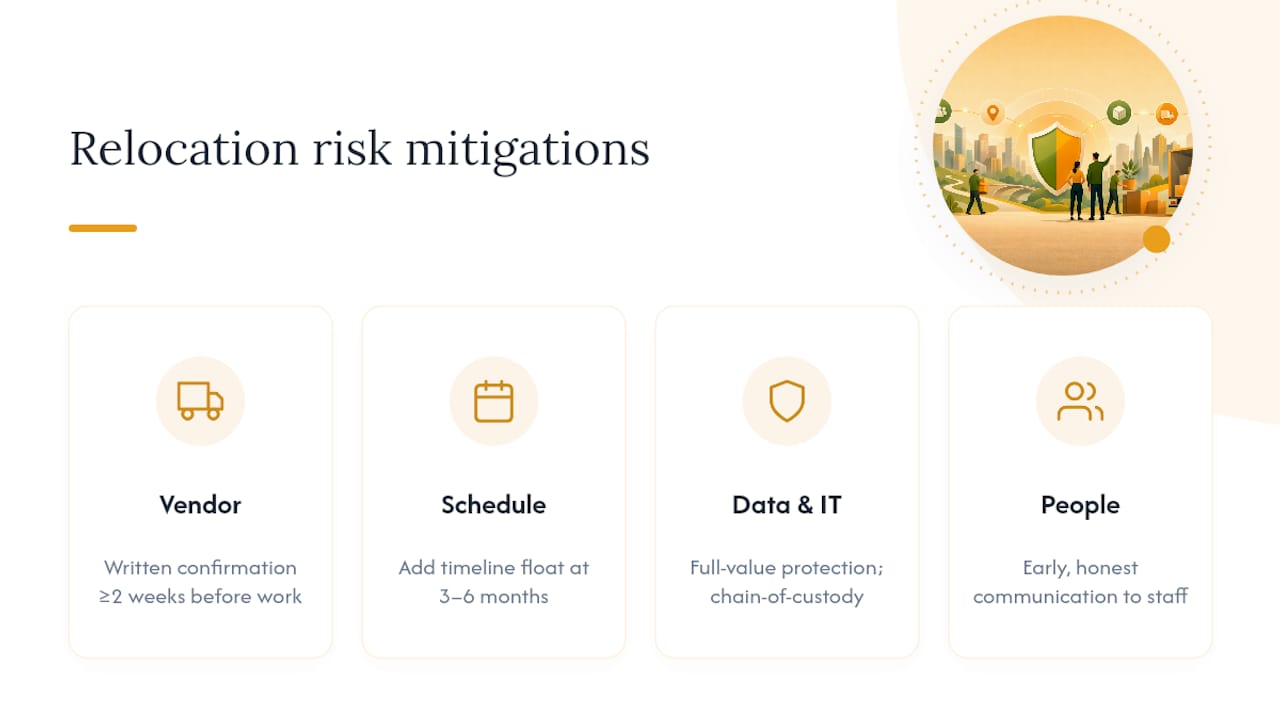
Vendor risk tops the list: a mover that double-books your date, or a subcontracted IT vendor that misses a deadline. Mitigate it by confirming every vendor in writing at least two weeks before their work window, not just at contract signing.
Schedule risk shows up as landlord delays, permit backlogs, or a fit-out that runs long. Build float into your timeline at the 3 to 6 month mark specifically because this is where delays compound; a two-week permit delay in month four becomes a crisis in month six if there’s no slack absorbing it.
Data and equipment risk covers everything from a failed backup to a damaged server rack in transit. This is where full-value protection and a documented chain-of-custody earn their cost, since the financial exposure on IT equipment is usually far higher than on furniture.
People risk is the quietest one: key staff who leave during the transition because the move creates uncertainty about commute or role. Early, honest communication mitigates this more than any contract clause can.
Run a short risk review at every weekly relocation meeting, and keep a running list of open risks with an owner assigned to each one. A risk with no owner tends to stay unresolved until it becomes a problem on move day.
Confirming Every Vendor, Permit, and Utility Before Move Week
By the final two weeks, every vendor, permit, and utility transfer should be confirmed in writing, not assumed to be handled because a contract was signed months earlier. Contracts get filed and forgotten; confirmations catch the ones that slipped.
Work through this list in the final planning phase:
- Movers: written confirmation of date, crew size, and arrival window, plus a direct phone line for the crew lead.
- IT and telecom vendors: confirmed activation date for internet circuits, with a fallback contact if activation slips.
- Building permits: confirm signage, fit-out, or occupancy permits are approved, not just submitted.
- Elevator and loading dock: written reservation confirmation from building management for your move window.
- Utilities: transfer or setup confirmed for electricity, water, and any specialized services like backup generators.
- Storage vendor: confirmed unit availability and access hours if you’re using short-term storage during the transition.
A vendor coordination checklist built for commercial moves turns this from a mental checklist into something you can actually hand to the relocation lead and verify line by line. Missing one utility transfer is a minor headache. Missing it and discovering it on move day, with no backup plan, is a full day lost.
Move Craft’s Take on What Actually Saves Time
Most relocation failures aren’t caused by a bad mover. They’re caused by nobody owning the gaps between vendors: the week between IT ordering circuits and the mover showing up, or the handoff between facilities and the building’s property manager. Move Craft’s coordination work exists mostly in those gaps.
Where we see the most time saved is vendor vetting done early, before a business is under deadline pressure and forced to accept the first available bid. Businesses that request binding quotes and confirm chain-of-custody procedures upfront consistently avoid the disputes that eat the first month in a new space. The checklists matter less than the discipline of actually using them every week, not just at kickoff.
— Info
Get Move-Ready With Move Craft’s Vetted Network
Coordinating movers, IT vendors, storage, and building management on your own means chasing five separate confirmations while still running your actual job. A professional move coordinator can handle that coordination layer directly, matching your relocation to vetted, insured commercial carriers and structuring binding quotes so nothing shows up as a surprise line item later.

We built this around the same phased approach covered above: a single point of contact, itemized bids compared apples to apples, and IT-first sequencing so your team isn’t sitting at desks with no working network. If your move includes sensitive equipment, our server rack moving guidance covers the crating and chain-of-custody details that protect you from liability if something goes wrong in transit.
Ready to see what a coordinated plan looks like for your specific move? Start your relocation checklist and get matched with vetted carriers who can quote your move this week.
Sources
- Electronics donation and recycling | US EPA
- Office Move IT Relocation Checklist | Computer Experts Corp.
- 10 Essential Steps for a Smooth Office Relocation in 2026 | Hughes Marino
FAQ
How Far in Advance Should an Office Relocation Plan Start?
Start several months to a year out for a full lease review, site selection, and budget setup, with vendor bids and design work finalized well before the move.
How Many Moving Quotes Should a Business Get?
Get at least three binding, itemized quotes so you can compare packing, crating, IT handling, and after-hours labor charges on equal terms rather than guessing at what’s included.
What’s the Right Order for Reconnecting IT Systems After a Move?
Reconnect circuits and internet service first, then firewall, switches, Wi-Fi access points, servers, and finally end-user devices, validating each layer before moving to the next.
How Much Contingency Should Be Built Into a Relocation Budget?
Build in 10 to 20 percent above your quoted vendor costs to absorb the permit delays, extra labor hours, or unplanned storage fees that show up in nearly every commercial move.
Does Movecraftmoving Help With Office Moves Specifically?
Yes. This service connects businesses with vetted, insured commercial carriers and helps structure binding quotes and IT-sensitive handling like server rack relocation.